Error Tracking and Application Performance Monitoring
All-in-one app monitoring for small dev teams
Built for small engineering teams and startups shipping fast. Everything your team needs in one shared platform — without enterprise complexity or cost.
No credit card required
Helping devs at companies like:












Built for teams who'd rather ship than manage tools
Small dev teams — the two-pizza kind — need production visibility without dedicated observability engineers or a complicated stack to manage. Honeybadger gives everyone the context they need to find and fix problems fast. (Pizzas not included.)
More signal. Less noise.
One shared view, not five different dashboards.
Unlimited users, no per-seat pricing.

"We've looked at a lot of error management systems. Honeybadger is head and shoulders above the rest and somehow gets better with every new release."
Work together to ship faster
Fixing production issues is a team sport. Honeybadger keeps investigation, discussion, and issue tracking attached to the error itself so your team knows what broke, who's handling it, and what happened last time.
Team collaboration
Tool integrations
Shared alerts
Six dazzling features for small dev teams
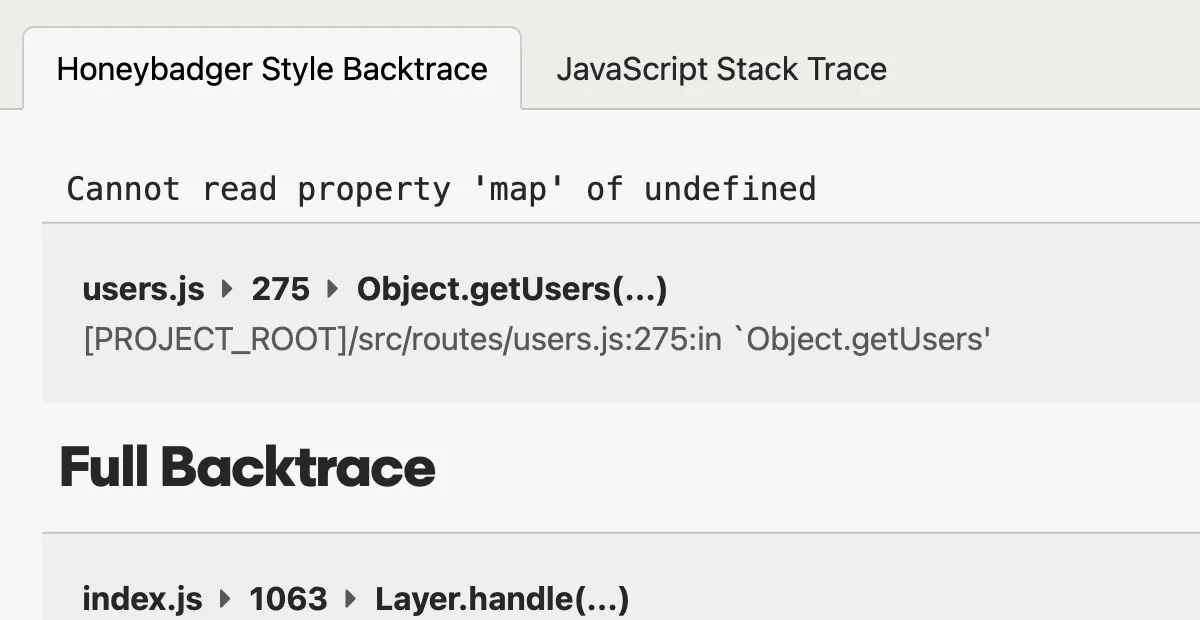
Error Tracking
Fix errors before customers complain
- Instant alerts with rich error context
- Smart grouping reduces noise
- Advanced search and query tools
Logging & Observability
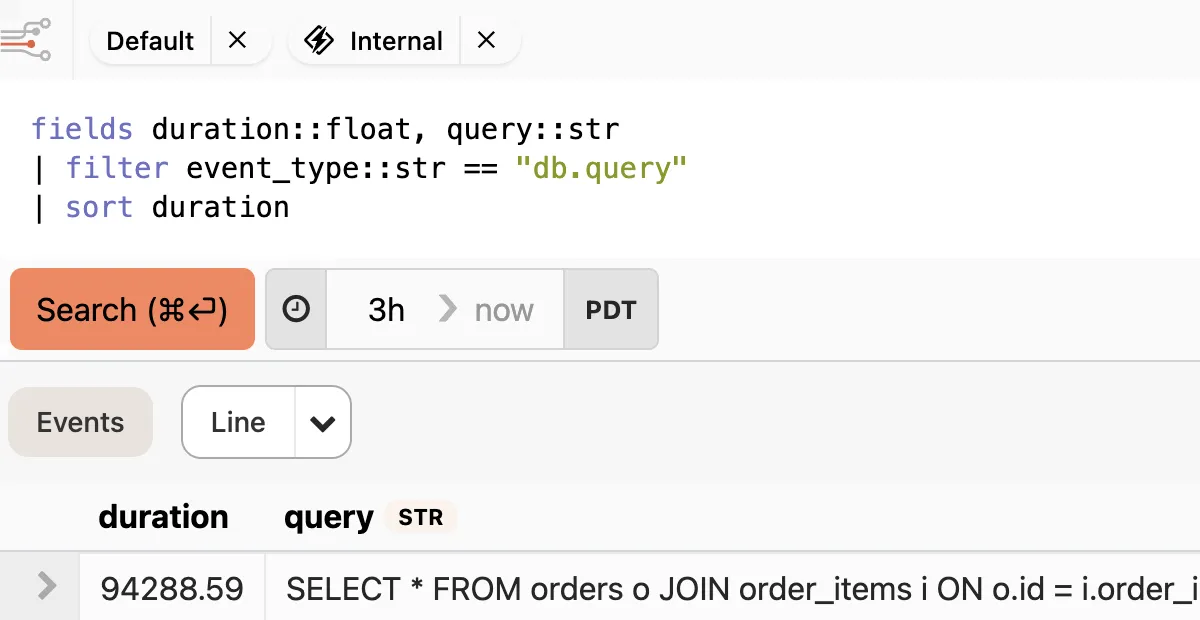
Debug production issues in minutes, not hours
- Structured logs that you can query and analyze
- Trace events across requests, jobs, and services
- Instant alerts from any pattern or event
Application Performance Monitoring
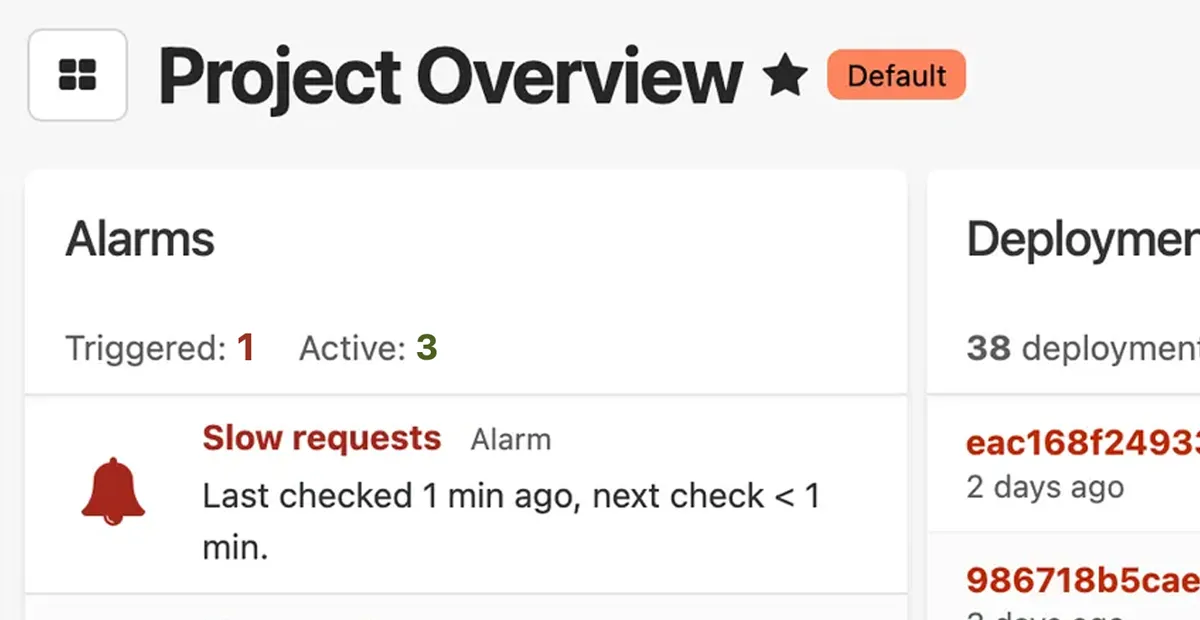
Keep tabs on your apps and infrastructure
- Automatic dashboards for your stack
- Monitor web, worker, and query performance
- Create custom metrics without writing code
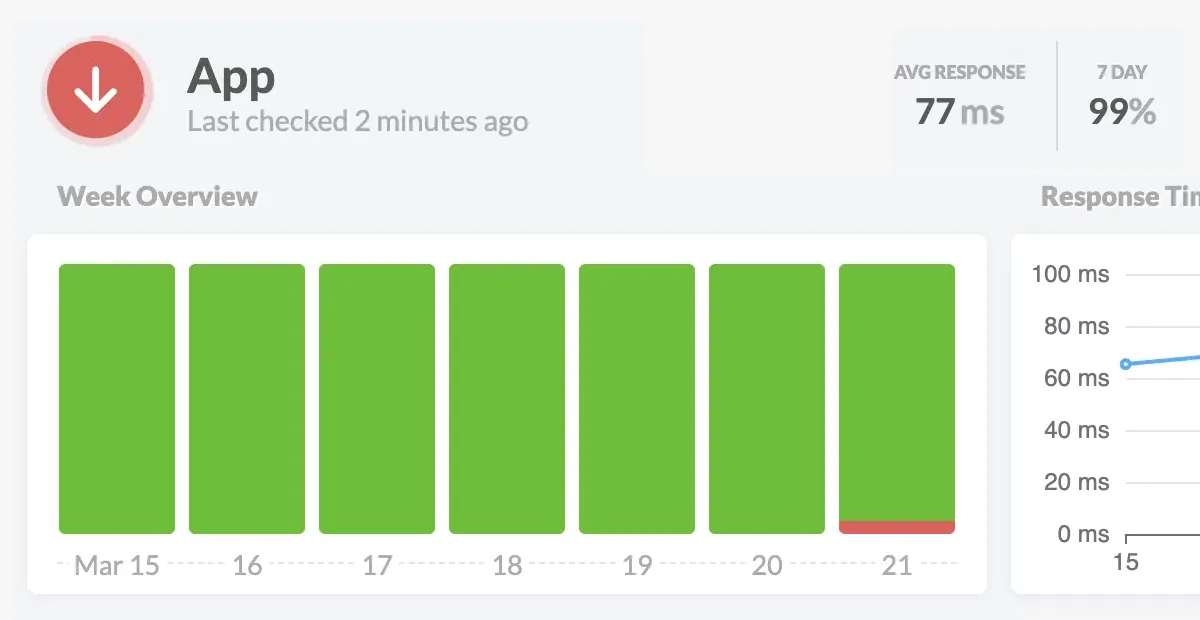
Uptime Monitoring
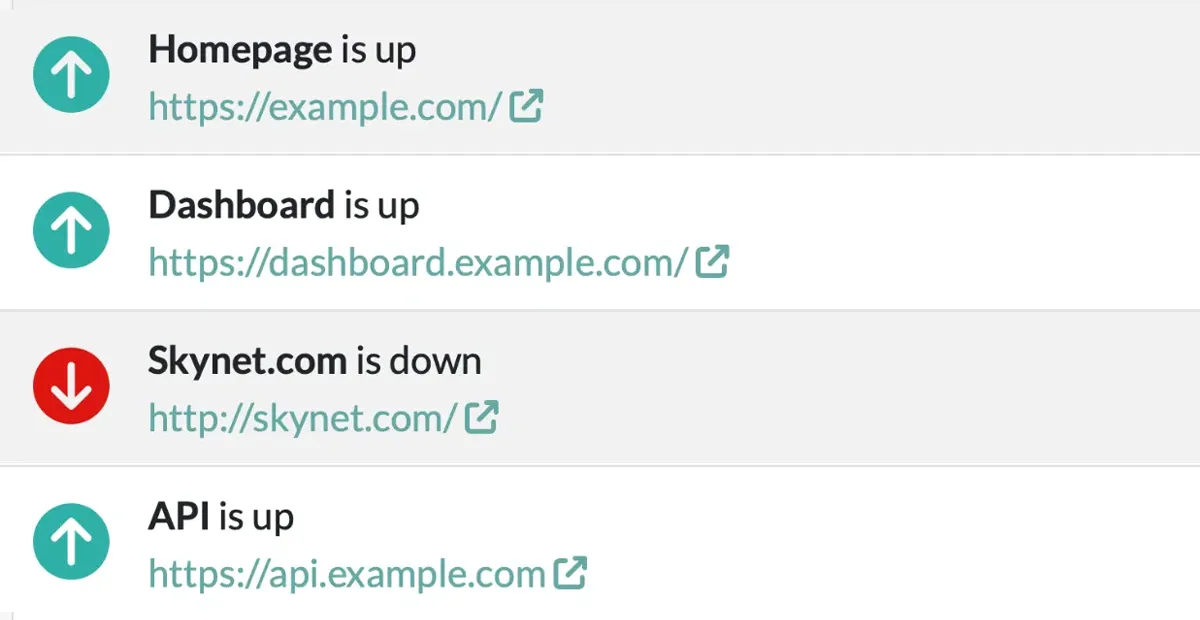
Know when your app is down before your customers do
- Instant alerts when your site goes down
- Know exactly what's broken—not just that it's down
- See uptime issues alongside your errors and logs
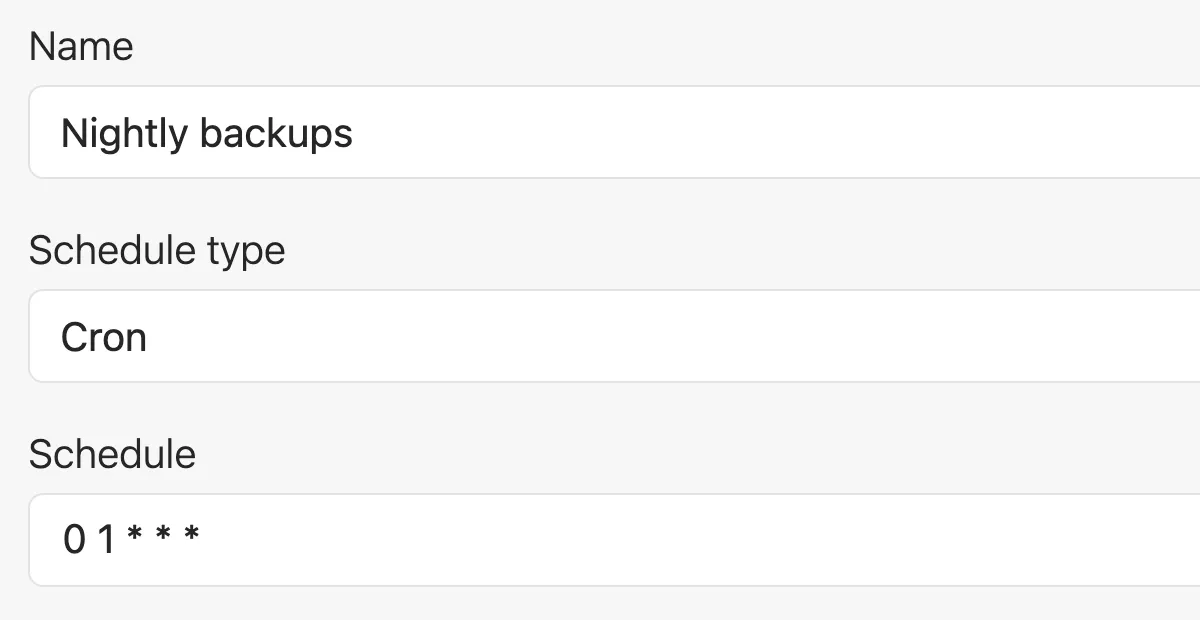
Cron Monitoring & Heartbeats (Check-ins)
Make sure your background jobs and scheduled tasks run on time
- Alerts you when jobs fail or don't run at all
- Tracks success rates and execution over time
- Simple heartbeat API works with any stack
Status Pages
Keep your customers informed during an outage
- Automatically updates when issues are detected
- Reduces support tickets during incidents
- Professional status page with your domain and branding
Built by a small dev team for small dev teams
Since 2012, our small bootstrapped team has prioritized the needs of our fellow developers. We don't stuff our products with irrelevant features or chase VC growth targets with aggressive sales tactics.
We build products for devs who build and support great web apps in production – just like us.


Joshua Wood & Benjamin Curtis
Honeybadger.io Co-founders
Start monitoring today, not next sprint
Setup should take under 10 minutes for your first project, with defaults that don't need tuning. Find your stack below to see exactly what that looks like.
Once you're running, invite the rest of your team and get alerts in Slack, Discord, email, or wherever you're already collaborating. Connect errors to GitHub, Linear, or Jira if that's where you track issues.


"The whole setup took about 10 minutes - that's with me moving really slowly. Nicely done!"
Unlimited users, no per-seat pricing
Honeybadger's Team plan gives your whole team shared visibility into errors, logs, performance, and uptime in one platform — starting at $26/month.
Team plans include unlimited users and collaboration features designed for small businesses, growing startups, and engineering teams within larger companies. That means fewer tools to manage, less time spent debugging, and no need to pay for a bloated enterprise observability platform.
Monthly error tracking reports.
Daily Honeybadger Insights ingest.
Monitors include uptime checks and check-ins.
Status pages with incident management.
Team total cost
$286 when paid annually
Business total cost
$880 when paid annually
*Insights retention increases with the selected Logging & Performance plan.
No credit card required
Small teams love our industry-leading support
Our customers will tell you that we have the best developer-led support in the industry. Go ahead and email us right now. You'll get a fast reply from our dev team, and we'll go above and beyond to answer your questions.

Ben Curtis
To: Jason Charnes
Subject: Re: Uploading logs
Happy to help! And thanks for letting me know it (mostly) worked. I guess I have some debugging to do on that environment variable. :)
One last thing... make sure you run this to get Vector to start after a reboot:
sudo systemctl enable vector.serviceI put that in the gist after I sent the last email to you, so you may have done that already, but you may not have, and it doesn't hurt to do it twice. :)
Oh, and about the log prefix you mentioned... look in config/environments/production.rb for config.log_tags and comment that out. That's probably what's adding
that stuff to your logs.

Jason Charnes
To: Honeybadger Support
Subject: Re: Uploading logs
That did the trick!!
This is so awesome. Again, thank you!
Frequently Asked Questions
Got questions? Here are some common questions we hear from small engineering teams about application monitoring:
How many developers is a small engineering team?
There’s no hard cutoff, but we generally think of a small development team as roughly 2–10 developers working together on one or more production applications. Amazon calls ’em “two-pizza teams”—small enough to feed with two pizzas—and that works for us.
Team size isn’t the only factor, though. Small teams often share responsibility for production without dedicated observability or SRE staff, which makes ease of setup, shared visibility, and low maintenance especially important.
Which error tracking and application monitoring tools work best for small teams?
Small teams benefit from monitoring tools that provide production visibility without requiring dedicated people to configure and maintain them.
Look for fast setup, all-in-one platforms rather than point solutions, shared visibility across your team, integrations with your existing workflow, and pricing that doesn’t increase every time you add a teammate.
Honeybadger is designed around those requirements.
What should small teams look for when evaluating an application monitoring platform?
Start with four questions: How much work will it take to implement and maintain? Can everyone on the team see the same context? Does it integrate with the tools your team already uses? And does pricing scale with usage or with every new teammate?
Small teams typically need enough monitoring to understand what’s happening in production without the cost and complexity of an enterprise observability platform.
How long does it take to set up Honeybadger for a small team?
About five minutes to install the Honeybadger SDK in your first project. Once it’s running, you can invite the rest of your team and connect the tools you already use for alerts and issue tracking.
There’s no infrastructure to provision or lengthy rollout process. Plus, Honeybadger’s defaults are designed to work for small dev teams without extensive configuration.
What does onboarding look like for a small engineering team?
Sign up, install the SDK in your first project, and invite your teammates. New accounts start with a 30-day free trial, with collaboration features and unlimited users. No credit card required.
Your team can then connect alerts and issue tracking to tools like Slack, Discord, GitHub, Linear, and Jira and add additional projects as needed.
How much does Honeybadger cost for a small development team?
Honeybadger Team plans start at $26/month and include unlimited users, higher usage thresholds, and collaboration features. Pricing scales with usage rather than the number of people on your team, so adding another developer doesn’t automatically increase your bill. See our detailed pricing for the full comparison.
Is application monitoring worth it for a small development team?
Yes. When several developers share responsibility for production, application monitoring gives everyone the same visibility into errors, logs, performance, and uptime.
That means less time figuring out what broke, fewer tools to manage, and less coordination overhead when something goes wrong—so your team can spend more time building and shipping software.
Trusted by dev teams like yours
Tens of thousands of developers use Honeybadger to monitor web apps in production. Here's what they had to say:
"The fact we can get rid of three separate services sounds perfect for our (very) small team."
"I'd be remiss if I didn't point out that every time someone here at UserTesting reaches out to you, we are dazzled by your prompt response and excellent service."
"You guys absolutely rock. We love using Honeybadger and getting bugs squashed before users even have a chance to report them. Your integration with other tools is awesome and your support is 👌"
Start monitoring as a team
No credit card, no sales call, no procurement process. Sign up, install the SDK, and invite your team today.