Set GitHub issue fields on the issues Honeybadger creates
The GitHub integration can now fill in GitHub issue fields on every issue it creates. Use the new Issue fields option and enter one field per line, using fields that already exist in your GitHub organization:
Priority: High
Team: Platform
Areas: API, Web
Estimate: 3
Target date: 2026-12-31
Honeybadger creates new error issues with priority, team, area, and other values already set.
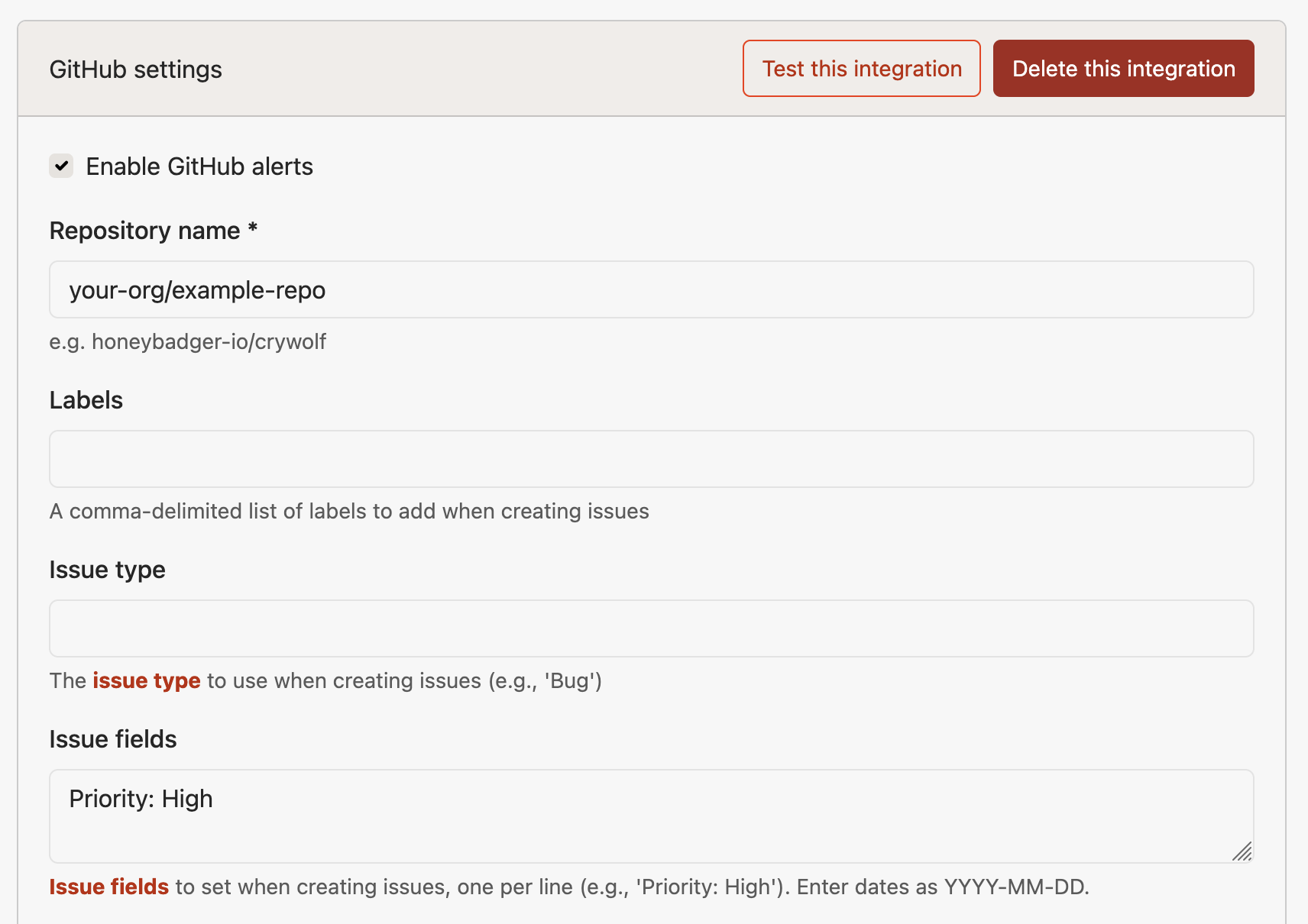
- All field types are supported: text, single-select, multi-select (separate options with commas), number, and date (
YYYY-MM-DD). - Capitalization doesn't matter for field names or select options.
- Mistakes are caught when you save. Honeybadger checks your fields against the repository. If a field or option doesn't exist, or a value doesn't match the field's type, you'll see an error in the form.
Issue fields are an organization feature in GitHub, so this works with repositories owned by an organization. To set it up, go to Project Settings → Alerts & integrations → GitHub. The GitHub integration guide covers issue fields and the other issue options, like issue type and labels.
Try Honeybadger for FREE
Honeybadger is full-stack application monitoring that helps developers move fast and fix things. Get set up in minutes and check monitoring off your to-do list.
Easy 5-minute setup — No credit card required