48 new BadgerQL functions, and `fill` now works on grouped charts
When a count chart was grouped by status or host, a status with no events in a time window had no row for that window. This meant that the status line would run across the empty window to the next data point instead of dropping to zero.
The new across clause for fill adds the missing rows. We've also added 48 new BadgerQL functions, including conditional aggregates that count, sum, or average only matching events without a second query.
Fill every series, not just time
fill used to fill only one dimension, usually time. Now, with across, it fills every combination of values:
stats count() as ct by bin(10m) as t, status::int
| fill t across status
Every (time, status) pair gets a row, and the missing counts become zero.
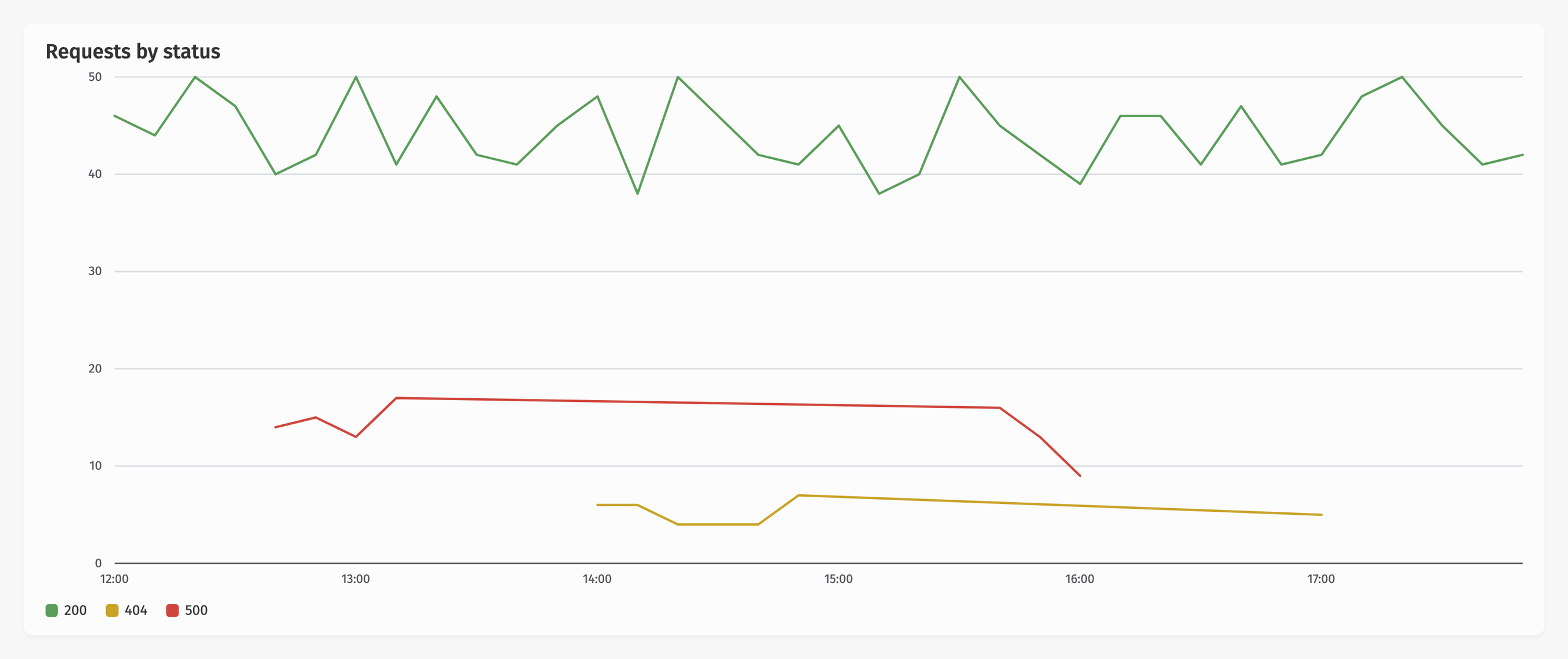
Before: the 404 and 500 lines run straight across hours with no rows.
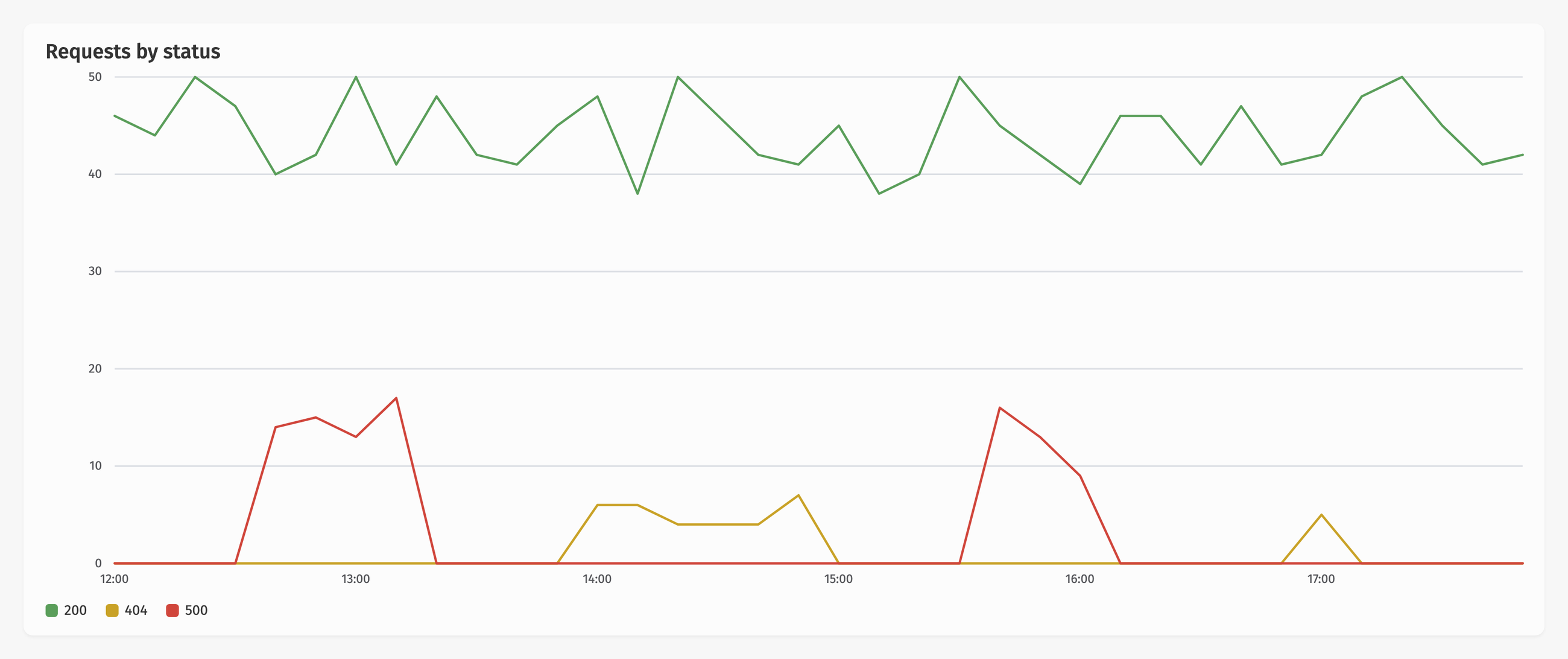
After fill t across status: each status drops to zero when nothing happened.
A few more fill changes:
- Step inference:
fill tis enough. The step comes from thebin()orbucket()in the samestatsstage. Changebin(5m)tobin(1h)and the fill follows. - More
acrossoptions:includingkeeps a fixed set of values in your legend,boundedlimits each series to the time it was active, andacrossworks without a time dimension too.
Conditional aggregates
The new *If aggregates take a condition, so you can get error counts and totals from one query:
stats count() as total, countIf(status::int >= 500) as errors by bin(5m)
The family is countIf, sumIf, avgIf, minIf, maxIf, uniqueIf, firstIf, lastIf, percentileIf, and apdexIf.
Rates and histograms
rate() turns an aggregate into a per-second rate:
stats rate(count()) as rps by bin()
Use a bare bin() and the rate stays per second as you zoom. Pass an interval as the second argument for a different unit: rate(count(), 1m) is per minute.
bucket() does for numbers what bin() does for time. This latency histogram groups durations into 100 ms buckets, and fill b adds the empty buckets:
stats count() by bucket(duration::int, 100) as b
| fill b
Use bucket(value, min, max, n) for a fixed number of buckets instead.
And the rest
The other new functions cover math, dates, URLs, IP ranges (inCIDR), JSON validation, strings (split, position, editDistance, similarity), hashing, and arrays. New aggregates include median, stddev, corr, pickMin, and pickMax. See Expression functions for the full list.
All of this works today in the Insights query editor and dashboard widgets, with no setup. Insights is included on every Honeybadger plan, including the free Developer plan. Check out the BadgerQL guide to learn more.
Try Honeybadger for FREE
Honeybadger is full-stack application monitoring that helps developers move fast and fix things. Get set up in minutes and check monitoring off your to-do list.
Easy 5-minute setup — No credit card required