API v3 and scoped API tokens
API v3 lets you manage almost everything in your Honeybadger account, using API tokens that get only the access you give them. Give your AI agent a read-only token for one project or account, and use a different token for your scripts and automations.
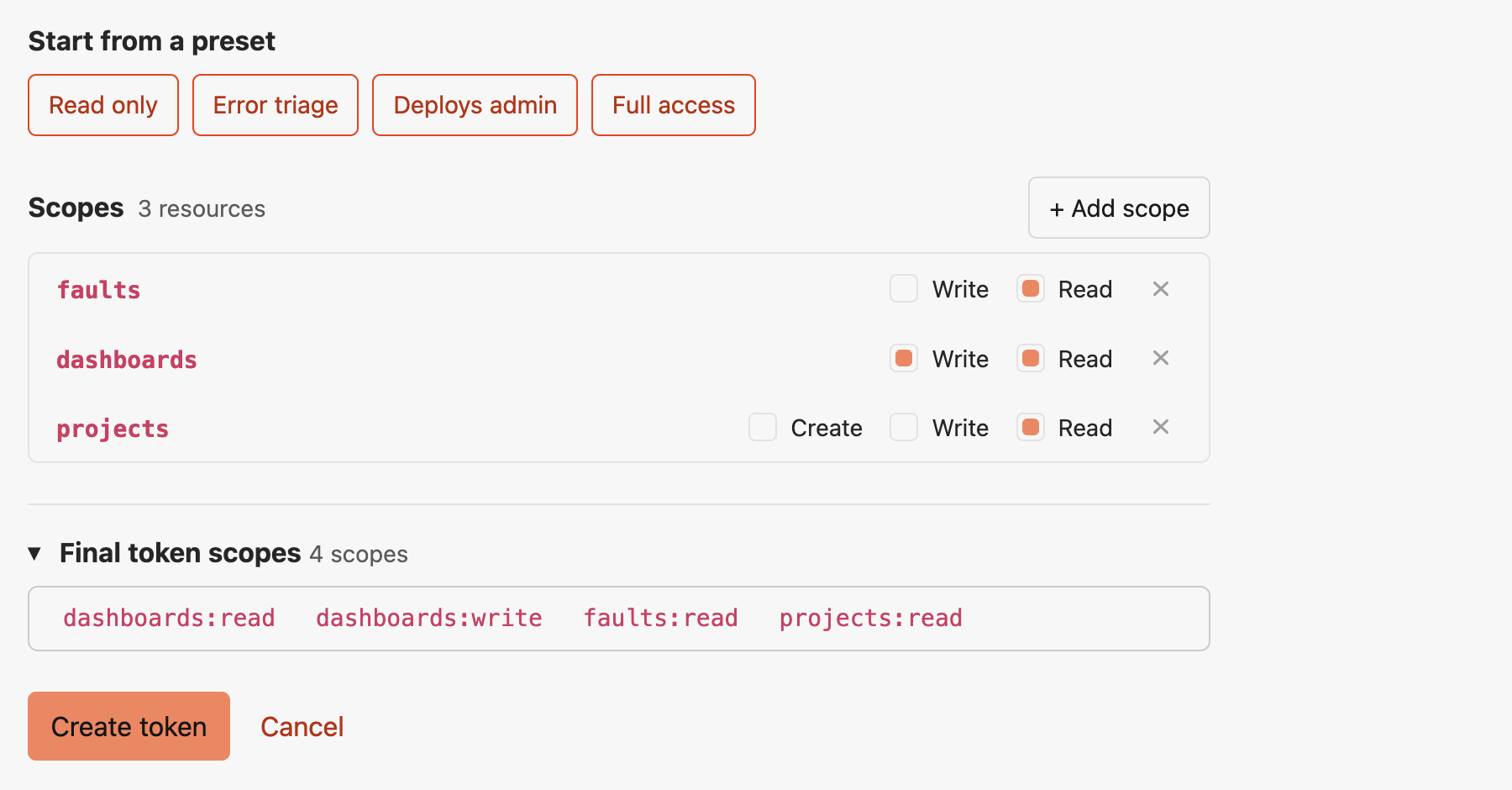
API tokens with scopes
You can limit each token in three ways:
- Scopes set what a token can read or change for each resource. Presets like Read only and Error triage cover the common cases.
- Project limits restrict a token to the projects you choose.
- Expiration dates keep a token from lasting forever, and you can rotate or revoke it at any time.
Create a personal token under My settings → API Access, or an account-wide token under Account → Settings & billing → API Access. Account tokens act as the account, not as you, so automation keeps working when people leave or change roles.
Try it
Send the token as a Bearer token. The account comes from the token, so there's no account ID in the URL:
curl https://app.honeybadger.io/v3/projects \
  -H "Authorization: Bearer $HONEYBADGER_API_TOKEN"
EU accounts use eu-app.honeybadger.io. To see what a token can do, call GET /v3/token. It returns the token's scopes, account, and projects.
Writes are strict: a misspelled field is rejected by name instead of being silently ignored.
What v3 covers
- Error tracking: faults, notices, comments, and deploys
- Uptime monitoring: uptime checks and check-ins
- Insights: queries, dashboards, and alarms
- Status pages and incidents
- Project settings: projects, environments, integrations, and ingestion keys
- Teams: teams, members, and invitations
Generate a client, or use ours
The v3 reference is generated from an OpenAPI 3.1 spec, which you can download to generate a client in your language. We built our own tools on it:
- The Go client includes a v3 client,
apiv3. - The Honeybadger MCP server runs on v3, so AI assistants can set up uptime checks, integrations, and alarms, not just read errors.
Coming from v2?
v3 isn't a drop-in replacement. It needs an API token (v2 auth tokens don't work), most resources use string IDs instead of v2's numeric ones, and responses are wrapped in data. The migration guide in the v3 docs covers each difference. v2 is unchanged, so you can move over when you're ready.
Get started with the authentication guide, which covers creating a token and how the scopes work.
Try Honeybadger for FREE
Honeybadger is full-stack application monitoring that helps developers move fast and fix things. Get set up in minutes and check monitoring off your to-do list.
Easy 5-minute setup — No credit card required