Support for SAML role and team mapping
If your team signs in through SAML SSO, you've probably managed Honeybadger roles and team access by hand. But it’s a chore to invite each person, then update them again when they switch groups or leave. Honeybadger can now automatically map SAML SSO roles and teams using the group attributes your identity provider already sends with every login.
Role mapping
You can assign account roles automatically based on a SAML assertion attribute, such as a Google Workspace group. In your account settings, under Authentication, click on any of your SSO providers or create a new one. Whichever you choose, scroll down to Role Mapping, where you can identify an attribute (e.g., groups), then add rules that map attribute values to account roles.
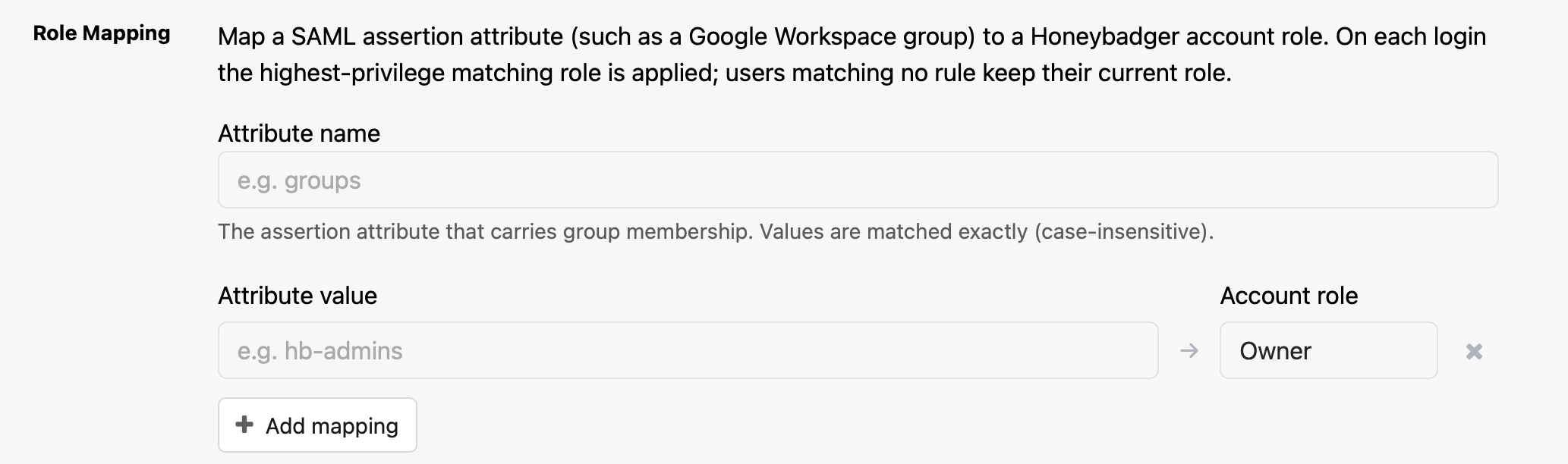
On each SAML login, Honeybadger compares the values of the configured attribute against your rules and applies the highest-privilege matching role (Owner, then Admin, then Member).
A few things to keep in mind:
- Values are matched exactly (case-insensitive)
- No match means no change.
- Owners are protected.
- Role mapping will never demote the account's only remaining Owner.
Team mapping
You can also manage team memberships and permissions from your identity provider. In the Team Mapping section of your SAML configuration, you can add rules that assign a SAML attribute value to a team and a permission level (Member or Admin). Team mapping rules use the attribute name configured in Role Mapping, so set that first.
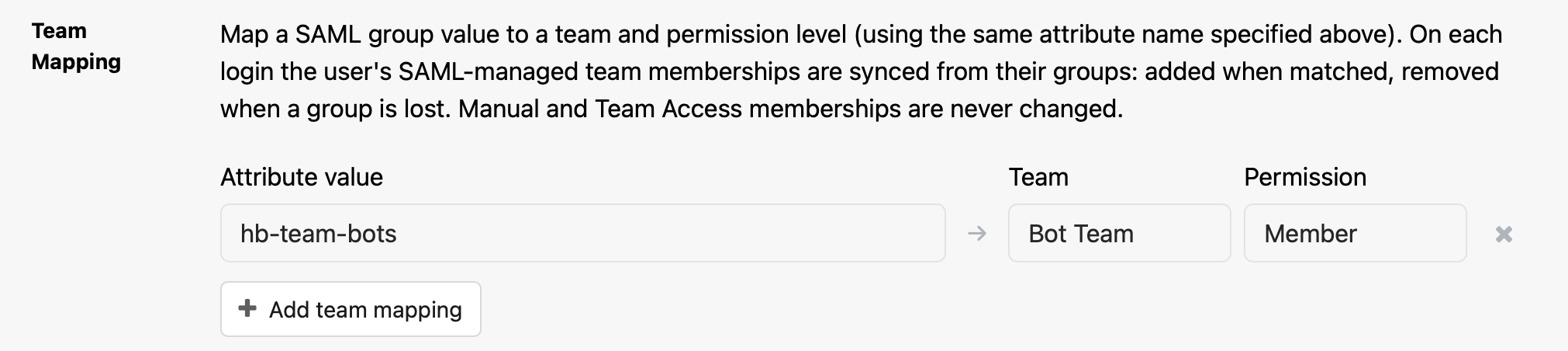
More things to keep in mind:
- Team mapping is only visible once your account has at least one team
- When the user no longer has a group that maps to a team, they're removed from that team.
- If multiple rules match the same team with different permissions, Admin wins over Member.
Team mapping only manages memberships it created. Team mapping never modifies or removes memberships created through a manual invitation or Team Access (which automatically adds all SSO users to selected teams).
Role and team mapping are available now for any account with SAML SSO configured. See the user management docs to learn more.
Try Honeybadger for FREE
Honeybadger is full-stack application monitoring that helps developers move fast and fix things. Get set up in minutes and check monitoring off your to-do list.
Easy 5-minute setup — No credit card required