Project environment settings with bulk actions
If you deploy your app to a lot of environments, it's now much easier to manage them. We added a dedicated Environments page to your project settings, replacing the previous inline list in general settings.
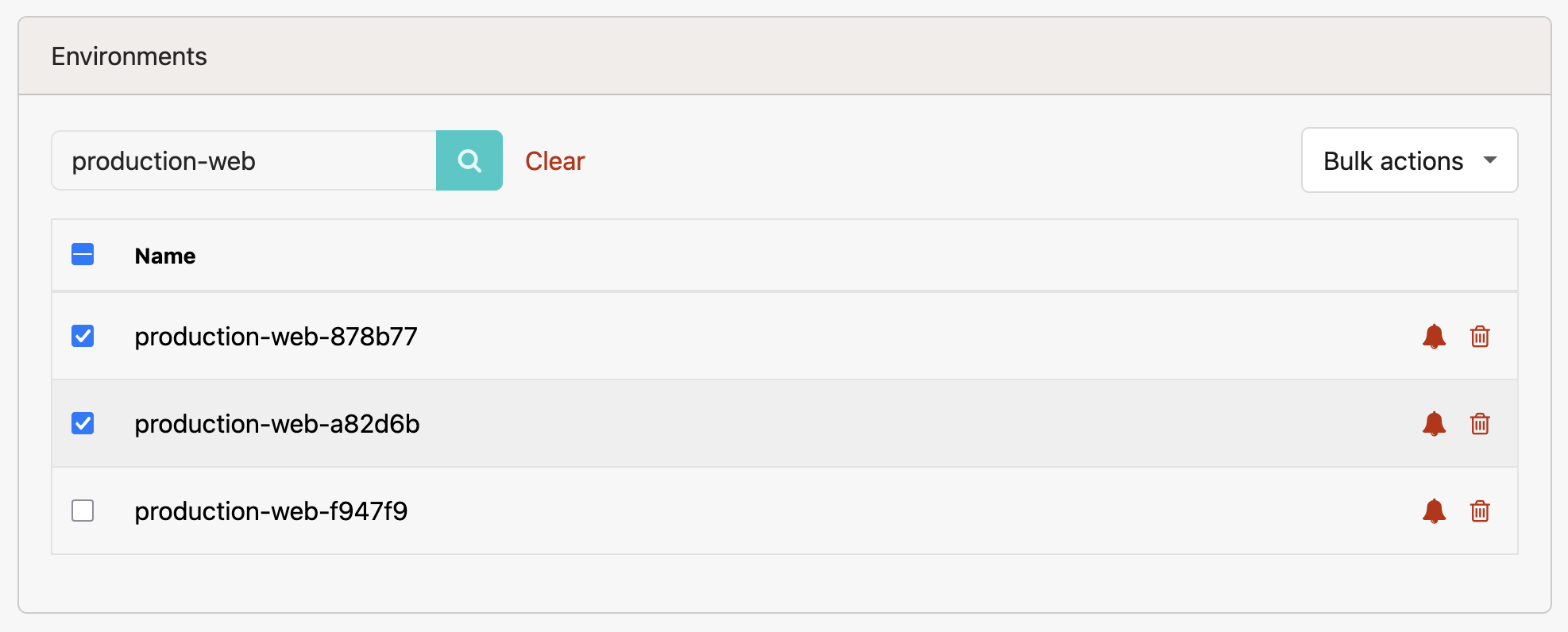
The new environments page includes search to find environments by name, pagination for long lists, and a Bulk actions dropdown to toggle notifications or forget multiple environments at once.
You can find the new page at Project -> Settings → Environments.
Try Honeybadger for FREE
Honeybadger is full-stack application monitoring that helps developers move fast and fix things. Get set up in minutes and check monitoring off your to-do list.
Easy 5-minute setup — No credit card required