Clickable URLs in Insights query results
When you're exploring data in Honeybadger Insights, query results often contain URLs—API endpoints, webhook URLs, referrers, and so on. Now when you click on any string value that contains a valid URL, you'll see an "open URL" option in the context menu that opens the link in a new browser tab.
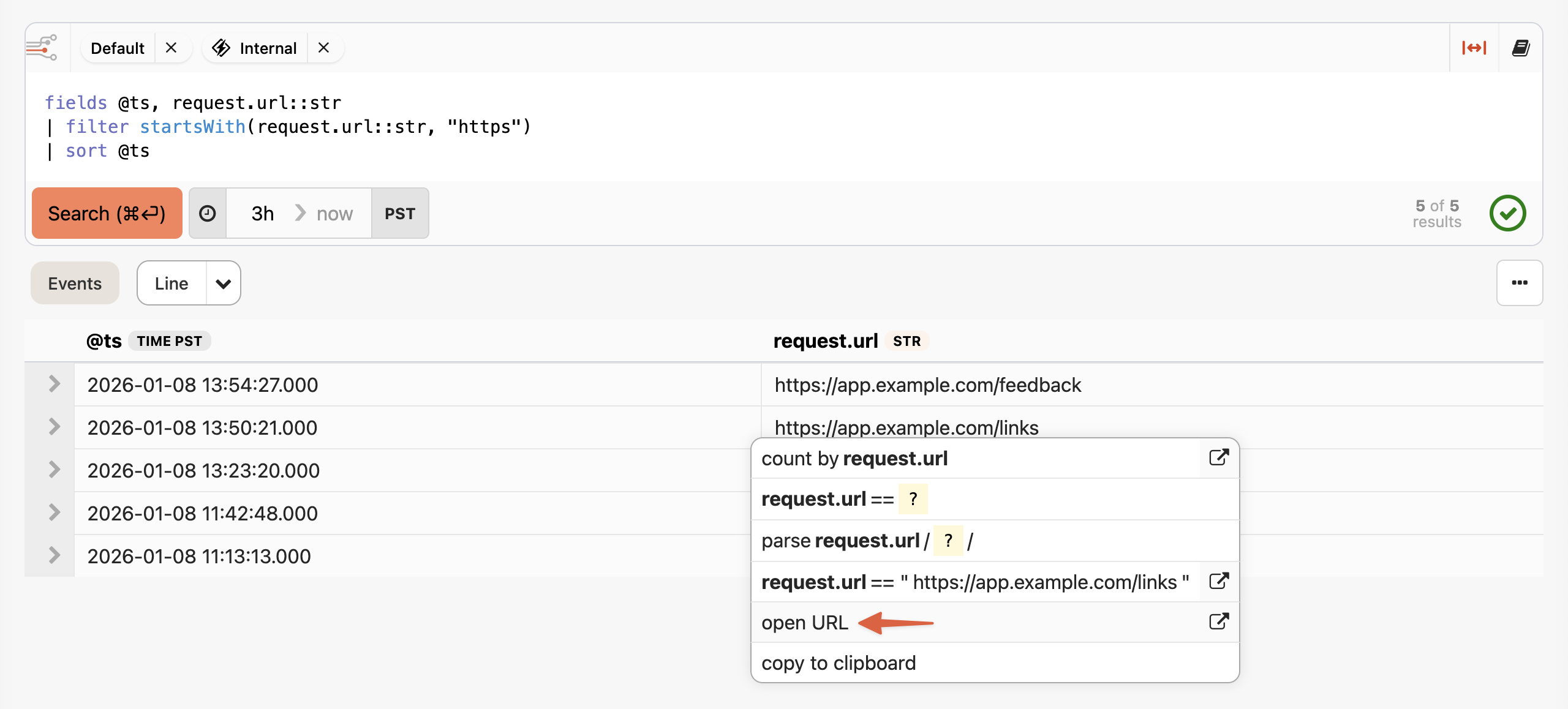
Here's how to try it:
- Go to the Insights tab in your Honeybadger project
- Run a query that returns URL values (for example,
filter startsWith(request.url::str, "https")) - Click on any URL in the results and select open URL from the context menu
Check out our Insights documentation to learn more about exploring your application data with BadgerQL.
Try Honeybadger for FREE
Honeybadger is full-stack application monitoring that helps developers move fast and fix things. Get set up in minutes and check monitoring off your to-do list.
Easy 5-minute setup — No credit card required